Harvester heat & cooling
Harvester overheating? Cool down before the next move
Let game time advance and watch the Harvester’s heat fall before sending another move or collection action. The referenced build stalls at 100 heat and cools passively; repeatedly issuing the rejected action will not solve that stall.
If heat is zero and the error is too_far, cooling is the wrong fix. Choose a neighboring sector instead.
On this page
Check which condition is stopping you
- overheated: watch the heat readout while time advances.
- too_far: use the adjacent-sector fix.
- moving or busy: let the current action finish. A destination shown in the position readout does not alone prove arrival.
- holding: handle the carried item before collecting again; a full Inventory can prevent storing it.
Fix the condition you actually see, then retry one action. Do not rewrite the entire harvesting route to treat a single failed step.
Add a cooling check—not an endless retry
Optional in-game script fragment: run this on the Harvester before the next action, only if its DOCS list these methods.
if self.get_heat() >= 90:
    sleep(1)
    print(self.get_heat())
This fragment waits once and prints heat. It does not move, collect, or promise complete cooling. In a route loop, reread heat before proceeding.
90 is a chosen safety margin, not the game’s overheat threshold. Allow extra headroom for the next action. There is no guaranteed real-world waiting time here.
Spend less heat on unproductive actions
The reference lists +7 heat for entering an empty sector, +1 for entering an item sector, and +9 for an empty collection attempt. Cooling also runs during timed actions, so these costs do not predict the exact final gauge reading.
Use scanned information to choose useful stops. Start with a short route: reach a known item, collect it, store it, then check Inventory. Expand only after that trip works. Handle the held slot before another pickup, and avoid blindly collecting at every empty stop.
Know when the fix has worked
First confirm that heat decreases. Next, check that one valid action completes rather than returning the same blocker. Finally, run a short collection-and-storage trip before restoring your full loop.
If time is advancing but heat never changes, note the build, heat, action and first error before reporting it. Do not assume a heat upgrade or cooling-rate formula that your device’s docs do not list.
Recognize the game’s device controls
Watch the game
Code: Terraform Beginner Guide
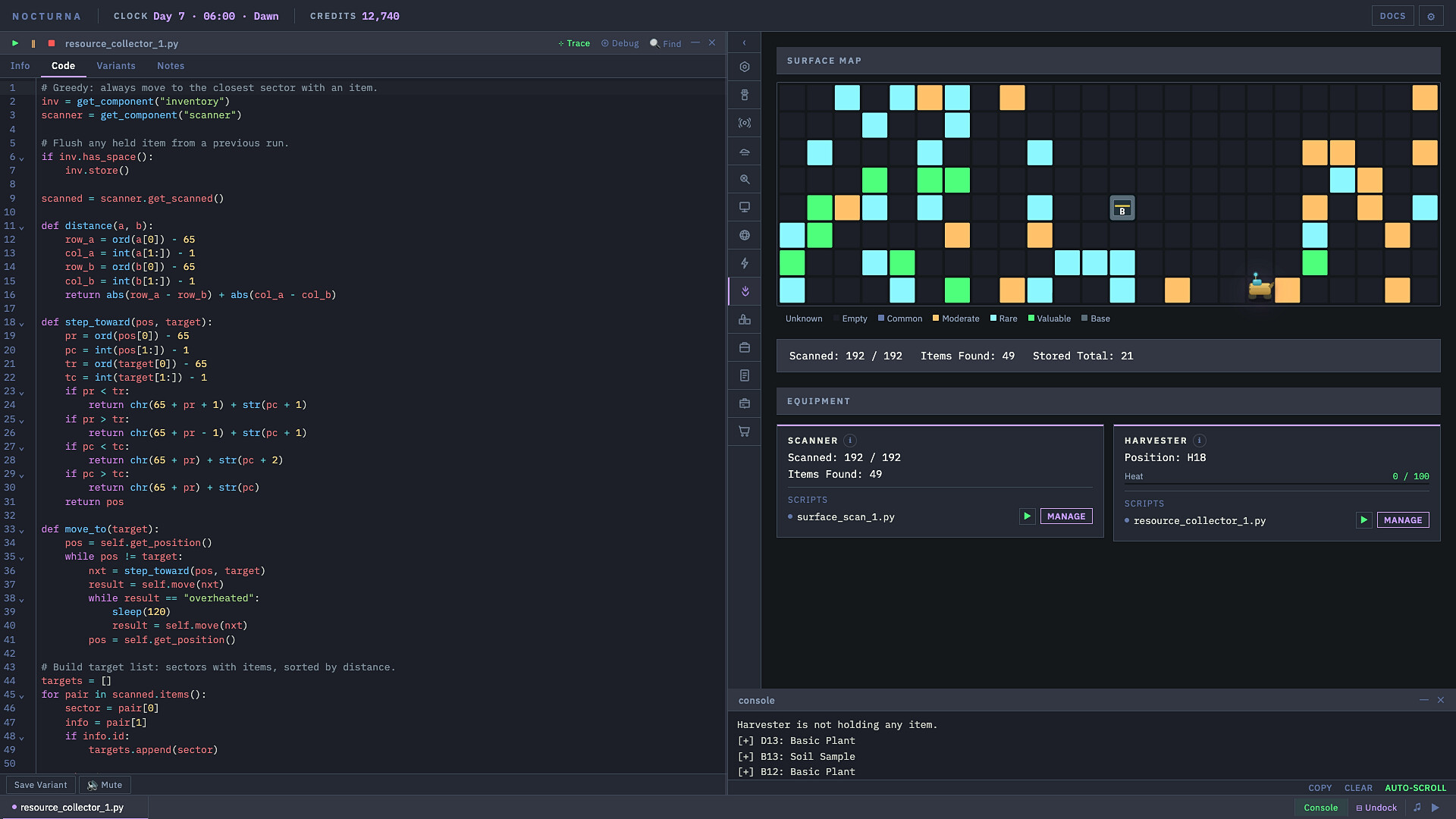
PowerFang’s Early Access walkthrough helps you recognize the editor and device controls. It is not a dedicated cooling demonstration or a test of this fragment.
Return to the cooling check →Sources for this guide
- Harvester API reference: heat, movement and held-slot behavior.
- First Harvesting Route: inspect, build a short trip, then extend the route.
- The player-maintained reference repository identifies build
441ad76, not a guaranteed match for every later EA build. Reviewed September 28; this is not our own gameplay test.