Pioneer charging & rescue
Get a parked or stranded Pioneer charging again
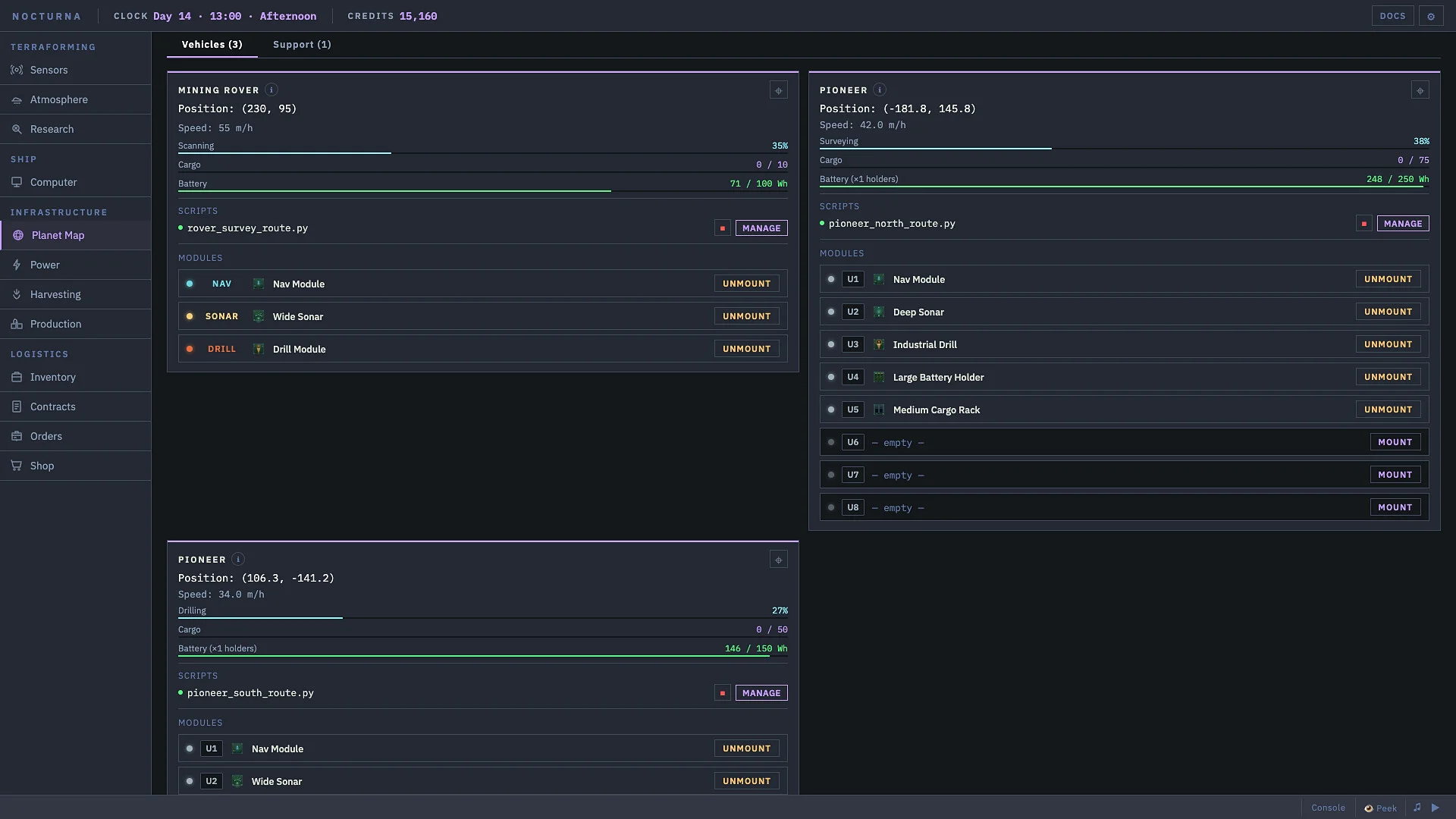
A Pioneer near the base needs to be docked at a powered Vehicle Charging Station and have a charging job. Being nearby with 26% battery does not identify which of those checks failed.
If the vehicle cannot reach the station, use a field rescue instead. The station runs both jobs; the Pioneer does not charge itself just because its driving script is running.
On this page
Parked but not charging? Check these in order
- Confirm that a Vehicle Charging Station is deployed and powered.
- Check the station’s docked list for your vehicle’s exact instance ID. If absent, park inside its service area—not merely somewhere near the base.
- Check the vehicle’s station status. A queued job is waiting, not a failed charge.
- Compare the requested target with the existing battery level. A vehicle already above that target needs no more charging.
Optional in-game diagnostic: in the station’s own script, print(self.get_docked()) reads the IDs it currently recognizes. Do not use a guessed name from another save.
Start one charging job and check its result
In the Charging Station’s script, use self.charge("YOUR_VEHICLE_ID", 0.8), replacing the placeholder with an ID from the docked list. This changes the vehicle’s charging job. 0.8 means 80%; 80 is not a valid target.
charging: active. Check rising battery energy.queued: wait for a bay.target_reached: already at the requested level.not_docked: fix parking.station_offline: restore station power.invalid: check the argument and target fraction.
The station’s status(vehicle_id) reports battery Wh, target, state and current rate. Success means energy actually increases toward the target, not merely that a command was accepted.
Out of charge in the field? Send a rescue
From the powered station’s own script, issue self.dispatch_rescue("YOUR_VEHICLE_ID", 0.8) once. Replace the placeholder; the reference accepts a display name or ID. This stops the target for field charging, rather than teleporting it home.
ok means dispatched. already_dispatched means a rescue is already assigned; do not spam retries. not_found needs an identity check. An offline station cannot launch the drone.
Watch the rescue target and the vehicle’s battery. Field charging is slow. Wait for the drone to release the vehicle before resuming travel; choose the target from the actual return distance, not a universal “safe” percentage.
Before driving away again
A dead battery can pause a still-running route without cancelling its intent. Recharging may resume that route. If you stopped the script, it finished, or it errored, the old route is cleared: check and restart the intended trip deliberately.
The Pioneer needs mounted battery modules for capacity. Extra portable batteries are preparation, not an instruction to equip a remote stranded vehicle instantly. Confirm the installed modules and current energy before a long trip.
Do not expect a fixed charging time: shared bays and field rescue are different situations. Confirm battery progress before increasing the trip length.
Find your way around the vehicle controls
Watch the game
Code: Terraform Beginner Guide
PowerFang’s recorded Early Access guide shows the broader device interface. It is not a Pioneer rescue tutorial or proof of current station parameters.
Return to the parked-vehicle checks →Sources for this guide
- How to charge Pioneer?, September 13–15: the parked-at-26% report, the developer’s station/rescue explanation, and the player’s admission that no charger script was running. Read in full September 28; it is not a complete tested rescue script.
- Vehicle Charging Station reference: docking, charge results and rescue arguments.
- Batteries & Charging: mounted Pioneer batteries and what happens to a paused route.
- Charging Station attendant: a broader fleet automation example if you need more than a one-vehicle check.
- These player-maintained references identify build
441ad76. They were read September 28; we have not run this rescue in our own save. Your current in-game DOCS take priority.